
Never Lose a Lead: The Growth Speed-to-Lead System
Route Inquiries by Service, Assign Team Calendars, and Enforce Strict Response SLAs
Setup time
0.5 to 1.5 to 2 days
Faster if experienced, longer if new to the tools
Monthly cost
$18/mo
Software only, plus any card fees
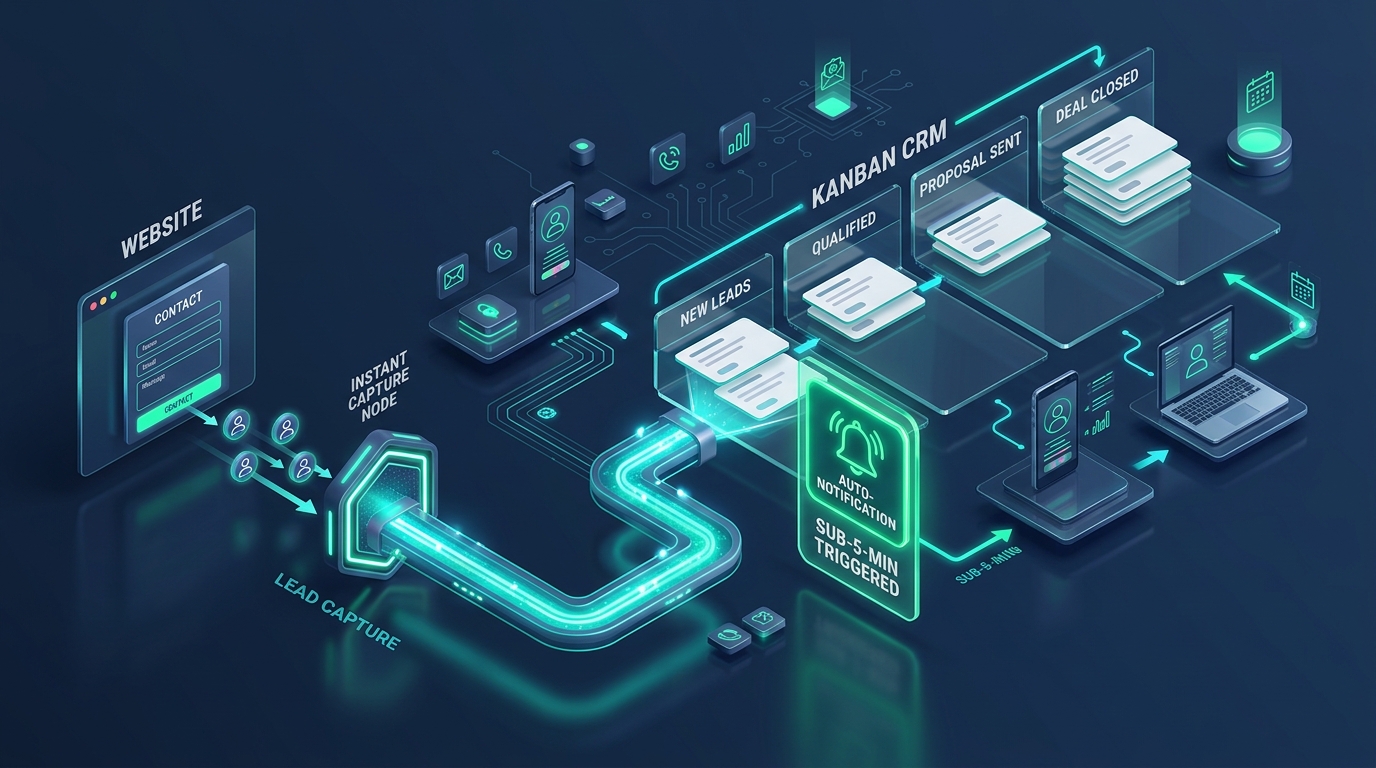
Lead Capture & CRM Routing Flow
Instant form intake, automated CRM qualification pipeline, and sub-5-minute alert triggers
System Summary
The Problem
In growing teams, generalist assignment breaks down. Inquiries for high-value services get assigned to junior reps, or leads wait because the assigned specialist is in client meetings.
The System
Bigin 360 automates service-based routing and team calendar distribution. Inquiries are automatically evaluated by service category, assigned to the qualified specialist, and provided with team round-robin booking links.
Why this version
It delivers structured, enterprise-grade lead distribution and sub-pipeline tracking on a simple CRM interface that non-technical teams actually enjoy using.
Before You Start
- → Configure Bigin 360 user accounts for all sales and specialist reps
- → Map your exact service categories and representative skill sets
- → Sync Google or Outlook calendars with Bigin Booking Pages
Tools in this system
The exact tools this build runs on. Each one links to its full review, and where we are an affiliate the link supports our free guides.
How the system works
How the tools connect and hand off to each other, step by step. Follow them in order, and each one links to the tool that does the work.
Inbound inquiry captured with service segmentation
Prospective client completes a smart intake form or WhatsApp flow specifying their exact service requirement.
- › Form captures specific requirements: service category, budget range, and timeline
- › Bigin custom fields automatically categorize the deal value and priority tier
- › Record enters the Inbound Intake sub-pipeline for immediate qualification
Intelligent routing assigns the right specialist
Bigin assignment rules evaluate service category and rep availability to route the lead to the best specialist.
- › Route technical inquiries to specialist engineers and general requests to sales representatives
- › Use round-robin assignment within rep groups to balance lead volume evenly
- › Lead owner receives an instant mobile alert with complete qualification notes
Specialist-specific booking calendar dispatched in under 60 seconds
Prospect receives a personalized confirmation containing the assigned specialist direct booking calendar.
- › Dynamic email and WhatsApp confirmation embeds the assigned rep calendar link
- › Prospect can self-select an open time slot directly on the specialist calendar
- › Booked meetings automatically update the Bigin deal stage to Discovery Call Scheduled
Automated 45-minute response SLA timer monitors activity
System checks rep activity at 45 minutes and escalates if no contact attempt has been logged.
- › Bigin monitors deal activity: phone calls, manual emails, or meeting bookings
- › If uncontacted at 45 minutes, a reminder alert triggers to the rep and team lead
- › At 60 minutes, the deal automatically reassigns to an on-duty backup representative
Seamless transition to Technical Qualification pipeline
Once initial contact is made, the deal moves automatically into the connected closing sub-pipeline.
- › Rep marks initial outreach complete with call notes and qualification status
- › Bigin sub-pipeline automation moves the deal to Technical Qualification without re-entering data
- › Next steps and proposal drafting tasks populate automatically for the account manager
What not building this costs you
Routing a $3,000 project inquiry to an unavailable team member who replies 24 hours later often costs the entire deal.
The catch: be aware
Bigin 360 handles team routing and sub-pipelines cleanly, but it remains CRM-focused. It does not include live website visitor chat or cloud phone infrastructure.
Implementation Support
Need help getting this system running?
This system is built to be set up without a consultant, and every step is on this page. If you want a hand, we can help you put it in place and walk your team through it.
Get this system as a PDF
A portable one-pager version of everything on this page: the tools, the steps, the costs. Downloads immediately, no waiting on an email.
Common Mistakes
Related systems
References
Add us to your preferred sources to see our latest business systems, tool reviews, and RevOps guides first in your Google feed.
Build once. Run repeatedly.
The system is here. Put it to work.
Every step is published and the tools are free to try. Build it yourself, or get implementation support if you want a hand.