
5 Make Automations That Replace a Zapier Subscription for African Businesses
Make replaces a Zapier subscription for African businesses at $10.59/mo versus Zapier Professional at $19.99/mo, with 10,000 operations versus 750 tasks at the lower price. It supports Flutterwave, Paystack (via webhooks), and Facebook Lead Ads natively. The 5 automations in this guide cover lead capture, payment alerts, client onboarding, social posting, and WhatsApp intake bridging.
Time to build
1 day
Weekly savings
5 hours/week
Setup cost
$10.59/mo
Read time
10 min read

The Blueprint Summary
Build these 5 Make automations for $10.59/mo: Facebook Lead Ad to Google Sheets, Flutterwave payment to Wave invoice alert, new client form to Google Drive folder plus welcome email, social media cross-posting, and a WhatsApp intake bridge that feeds structured leads into your CRM.
Get Zapier-level automation for half the price with tools that connect to the payment processors and messaging channels your clients actually use.
Key Takeaways
- ✓ Make Core at $10.59/mo gives you 10,000 operations per month versus Zapier Professional at $19.99/mo for 750 tasks
- ✓ Flutterwave and Paystack both send outgoing webhooks that Make receives natively, no third-party bridge required
- ✓ WhatsApp Business API does not have a direct Make trigger, but a Typeform or Tally bridge collects WhatsApp leads into structured form submissions that Make can process
- ✓ The Make free plan (1,000 operations/mo) requires no payment information and is enough to test all 5 automations before upgrading
- ✓ All 5 automations use Google Sheets, Google Drive, and Gmail which are free and work without restriction across Africa
Before You Start
- → A Make account, free at make.com, no credit card required to start
- → A Google account for Google Sheets, Google Drive, and Gmail, all free
- → A Facebook Business Manager account with at least one active Lead Ads campaign for automation 1
- → A Flutterwave or Paystack account for automation 2, whichever your business uses for payment collection
- → A Typeform or Tally form to act as a structured intake point for WhatsApp leads in automation 5
Email this guide to yourself
Get the link in your inbox so you can implement it when you have time.
Check your inbox — the link is on its way.
No spam. Unsubscribe anytime.
Why Make is the right choice for African businesses automating for the first time
The main reason MSMEs across Africa pay for Zapier is that it is the automation tool they have heard of first.
Make does the same job for $10.59/mo on its Core plan versus $19.99/mo for Zapier Professional, and it gives you nearly 14 times more monthly operations at that price point: 10,000 versus 750.
More importantly, Make connects natively to Flutterwave, Paystack, Facebook Lead Ads, Google Workspace, and Buffer, which covers the core toolkit for most African small businesses without requiring any additional bridge tools.
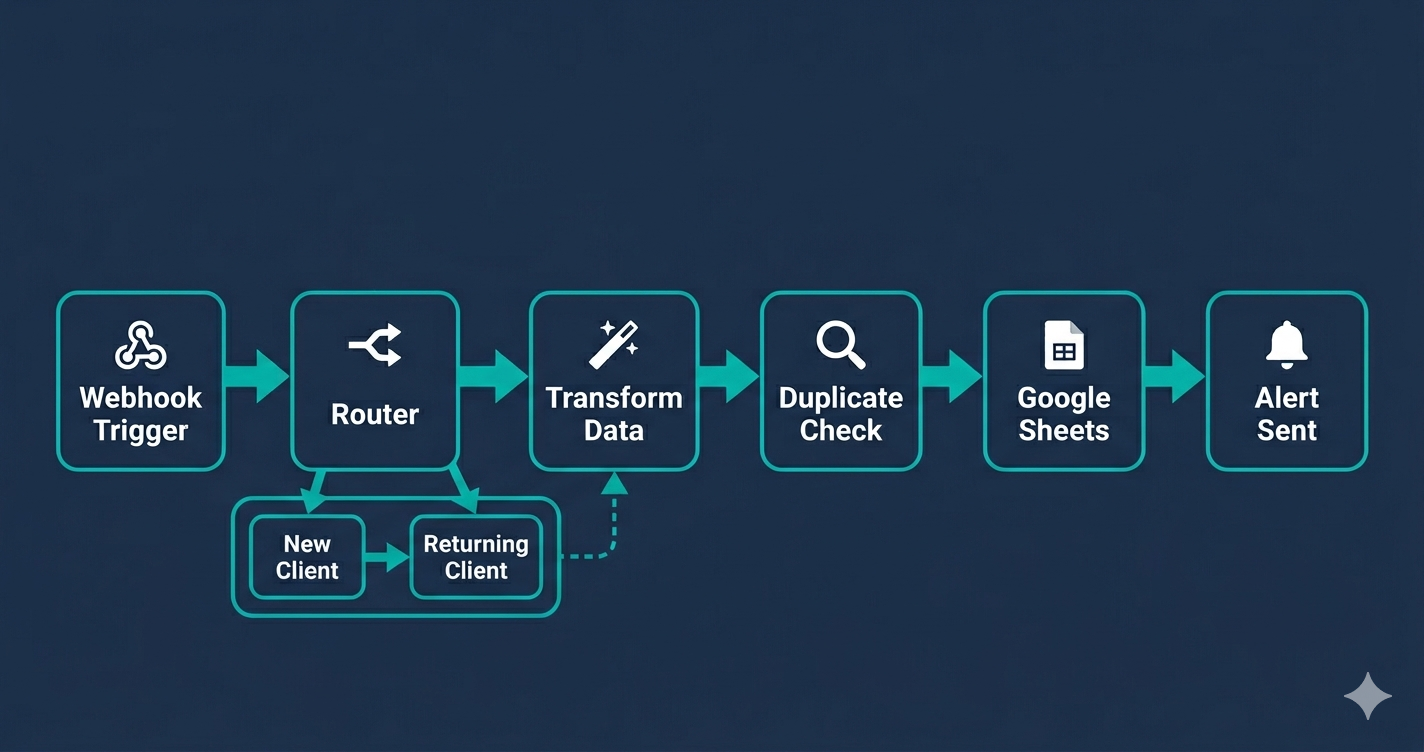
The 5 automations in this guide and who they are for
Automation 1 is for any business running Facebook Lead Ads and logging leads manually into a spreadsheet.
Automation 2 is for any business using Flutterwave or Paystack for payment collection and tracking income manually.
Automation 3 is for service businesses and agencies that manually create client folders and send welcome emails after each new signup.
Automation 4 is for businesses publishing regular blog or social content and posting it manually to each platform.
Automation 5 is for businesses whose clients primarily reach out via WhatsApp and who have no structured way to capture and track those leads.
You do not need to build all 5.
Build the one that addresses your biggest current manual time cost first.
How Make pricing works and what 10,000 operations actually means
Every module in a Make scenario uses one operation when it runs.
A scenario with 3 modules (trigger, transform, write to sheet) uses 3 operations per run.
At 20 leads per day on automation 1, that is 60 operations per day, or 1,800 operations per month.
Make Core gives you 10,000 operations per month, meaning you could run all 5 automations in this guide at moderate volume and still use less than half your monthly allowance.
The Make free plan gives 1,000 operations per month with no credit card required, which is enough to test every scenario in this guide before spending anything.
The WhatsApp reality for African businesses
WhatsApp is the dominant client communication channel across Africa, but the standard WhatsApp Business app does not send structured data to automation tools.
WhatsApp Business API does, but accessing it requires a verified Meta Business account and a paid API provider such as Twilio or Bird, which adds significant monthly cost before your first automation runs.
The practical solution for most small businesses is the intake bridge in automation 5: a Typeform or Tally form link shared in your WhatsApp profile bio and broadcasts collects structured lead data that Make processes exactly like any other form submission.
This gives you 90% of the benefit at zero additional cost beyond Make Core.
When your WhatsApp lead volume justifies the API cost, migrating to the full API integration is a single module swap inside your existing Make scenario.
What good looks like when all 5 are running
Every Facebook lead lands in your Google Sheet within 1 minute of submission.
Every cleared payment logs a row in your income tracker and sends you a Slack or Gmail alert before you have checked your phone.
Every new client has a Google Drive folder and a welcome email waiting before you have finished your current task.
Every new blog post queues in Buffer automatically without you opening a social platform.
Every WhatsApp lead arrives in your Google Sheet with a Capture Source tag of WhatsApp so you can filter by channel and see which source is driving the most enquiries.
Make Core costs $10.59/mo to run all of this.
How to prioritise which automation to build first
If you are losing leads to slow follow-up, build automation 1 (Facebook Lead Ads to Google Sheets) first.
If you have outstanding payments that are not being tracked consistently, build automation 2 (payment webhook to spreadsheet and alert) first.
If you are manually creating client folders and sending welcome emails after every new signup, build automation 3 first.
The WhatsApp intake bridge in automation 5 has the highest compounding return for businesses where WhatsApp is the primary client channel, because it structures every lead from the moment of first contact rather than trying to reconstruct lead source data months later.
Build them in the order of your biggest current manual time cost and add the rest as you go.
The Make free plan versus Core for these 5 automations
All 5 automations can be tested on the Make free plan with 1,000 operations per month and no credit card required.
The free plan limit of 2 active scenarios means you can only run 2 of the 5 automations simultaneously until you upgrade.
Make Core at $10.59/mo billed annually removes this limit and gives you 10,000 operations per month.
At a combined 5 operations per run across the 5 scenarios and 100 trigger events per month, you use 500 operations total, well within the Core allowance.
Make Core also reduces the polling interval from 15 minutes to 1 minute, which matters for automation 1 where a 15-minute lag between lead submission and CRM entry is a real conversion cost.
What changes when you combine these 5 automations
Running all 5 together means every part of your lead-to-client cycle generates data automatically.
Your Google Sheets lead log captures Facebook leads within minutes of submission.
Every cleared payment creates a record and triggers an alert before you have opened your email.
Every new client has a Google Drive folder and a welcome email waiting before you have finished your current task.
Every new blog post publishes itself to your social channels while you write the next one.
Every WhatsApp enquiry is captured as a structured record with a source tag so you can see at a glance which channel is driving the most business.
The entire stack costs $10.59/mo and replaces work that currently takes between 4 and 6 hours per week.
Implementation Steps
Automation 1: Facebook Lead Ad to Google Sheets lead log
Connect your Facebook Lead Ads campaign to Make so every new lead is logged in a Google Sheet with their name, email, phone, and the ad they responded to, in under 60 seconds.
- • Create a new Make scenario and add a Facebook Lead Ads Watch New Leads module as the trigger
- • Connect your Facebook Business Manager account and select the correct Page and the specific Lead Ad form
- • Add a Google Sheets Add a Row action and connect your Google account
- • Select your lead log spreadsheet and map: Full Name, Email, Phone Number, Ad Name, and a Timestamp using now()
- • Run the scenario and use the Send Test Lead button inside Facebook Lead Ads Manager to generate a sample lead
- • Confirm the test lead row appears in your Google Sheet within 60 seconds and turn the scenario on
Facebook Lead Ads charges per lead based on your ad budget, not a platform subscription fee. Google Sheets is free. Make Core at $10.59/mo billed annually. This scenario uses approximately 2 to 3 operations per lead.
The Catch
Facebook Lead Ads in Make uses polling, not a real-time webhook. On the Make Free plan the minimum polling interval is 15 minutes, meaning a new lead can wait up to 15 minutes before appearing in your sheet. Upgrade to Make Core for 1-minute polling or use a Facebook Conversions API webhook to get near-instant processing.
Automation 2: Flutterwave or Paystack payment to confirmation alert and spreadsheet log
When a payment clears in Flutterwave or Paystack, Make receives the webhook instantly and logs the transaction in Google Sheets while sending you a Slack or Gmail alert.
- • In Make, create a new scenario and add a Webhooks Custom webhook module as the trigger
- • Copy the Make webhook URL and paste it into your Flutterwave or Paystack dashboard under Settings, Webhooks as the payment notification endpoint
- • Send a test payment through your Flutterwave or Paystack test mode and click Determine data structure in Make to parse the payment fields
- • Add a Google Sheets Add a Row module and map: Customer Name, Email, Amount, Currency, Payment Reference, and a Timestamp
- • Add a Gmail Send an email or Slack Send a message module and map the payment details into the alert body
- • Switch your payment processor to live mode and run one final real transaction to confirm the full scenario fires correctly
Flutterwave and Paystack charge per transaction (typically 1.4% for local cards in supported markets). Google Sheets and Gmail are free. Make Core at $10.59/mo. This scenario uses approximately 3 operations per payment received.
The Catch
Flutterwave and Paystack webhooks send different field names for the same data: Flutterwave uses customer.email while Paystack uses data.customer.email. Build and test with one processor at a time. If you switch processors later, the field mapping in Step 4 must be updated to match the new payload structure or your spreadsheet columns will arrive blank.
Ready to get started with Make?
Visual automation canvas that handles complex workflows Zapier simply cannot.
Try Make Free →Automation 3: New client form submission to Google Drive folder and welcome email
When a new client submits an onboarding form, Make creates a dedicated Google Drive folder for them and sends a welcome email with their folder link, instantly.
- • Create a Make scenario with a Typeform Watch New Responses or Tally Watch New Submissions trigger
- • Connect your form account and select the specific onboarding form
- • Add a Google Drive Create a Folder module, connect your Google account, and set the folder name to map from the client name field in your form
- • Set the parent folder to your Clients directory in Google Drive so every new client folder appears in the same location
- • Add a Gmail Send an email module, map the To field to the client email from the form, and write a welcome message that includes the Google Drive folder link from the previous step
- • Submit a test entry through your live form and confirm the folder was created and the email arrived before turning the scenario on
Typeform Free and Tally Free both support Make triggers. Google Drive and Gmail are free. Make Core at $10.59/mo. This scenario uses approximately 3 to 4 operations per new client.
The Catch
Google Drive folder sharing defaults to private. The folder link in the welcome email only works if you add a Make Google Drive Share a File or Folder module after the Create a Folder step and set the permission to Viewer or Editor for the client email. Without this step, the client receives a folder link that returns an Access Denied error when they click it.
Automation 4: New blog post or content to social media cross-post via Buffer
When a new post appears on your blog RSS feed, Make queues it in Buffer for automatic publication across your connected social channels without you logging into any platform.
- • Create a Make scenario with an RSS Watch new articles module as the trigger
- • Enter your blog or content feed RSS URL in the Feed URL field
- • Add a Buffer Create an Update module and connect your Buffer account
- • Select the social channel profile you want to post to (Facebook Page, LinkedIn, or Instagram)
- • Set the Text field to: {{title}} - Read more: {{url}} and map the title and URL fields from the RSS trigger
- • Publish a test blog post and confirm the Buffer queue shows the entry within the polling interval
Buffer Free supports 3 social channels and up to 10 queued posts per channel. Buffer Essentials is $6/mo per channel to remove the queue cap. Make Core at $10.59/mo. This scenario uses 2 operations per new post published.
The Catch
Buffer queues posts according to your posting schedule, not immediately. If your Buffer queue is full (10 posts on the free plan) when a new post arrives, Make successfully adds it to Buffer but Buffer rejects it with a queue-full error and the post is not published. Clear your Buffer queue regularly or upgrade to Buffer Essentials to remove the cap.
Automation 5: WhatsApp intake bridge to structured lead entry in Google Sheets
Route WhatsApp leads through a Typeform or Tally link so they arrive in Make as structured form submissions that can be logged, tagged, and followed up like any other lead.
- • Create a short Typeform or Tally form with fields for: Name, WhatsApp Number, What they need, and How they heard about you
- • Add a link to this form in your WhatsApp Business profile bio, your WhatsApp status, and any broadcast messages you send
- • Create a Make scenario with a Typeform or Tally trigger watching for new submissions on this specific form
- • Add a Google Sheets Add a Row module and map all form fields plus a Capture Source column set to the fixed value WhatsApp
- • Add a Gmail alert mapping the lead name, WhatsApp number, and enquiry to your sales inbox
- • Submit a test entry through the form on your own phone and confirm the Google Sheets row and Gmail alert fire correctly
Typeform Free and Tally Free both work for this intake bridge. Google Sheets and Gmail are free. Make Core at $10.59/mo. This scenario uses approximately 3 operations per lead.
The Catch
WhatsApp Business API does have Make integrations available, but accessing it requires a verified Meta Business account and a paid API provider such as Twilio or Bird, which adds $50/mo or more depending on message volume. The Typeform bridge in this guide is the zero-cost workaround that captures the same structured lead data without API access. Use the bridge until your WhatsApp volume justifies the API cost.
Tools That Can Run This
This guide uses Make. Here is how alternatives compare.
| Tool | Plan Needed | Monthly Cost | Best For | The Catch |
|---|---|---|---|---|
| Make | Core | $10.59 | Multi-step workflows, branching logic, and data transformation at the lowest hosted automation cost | Every module action counts as one operation. Complex scenarios with many modules burn through your 10,000 monthly operations faster than simple ones. Use webhooks instead of polling to preserve your allowance. |
| Zapier | Professional | $19.99 | Fastest setup time and the largest app library at 8,000 plus integrations | 750 tasks per month is low for businesses running multiple active workflows. At moderate volume, Zapier Professional runs out of tasks mid-month and you must upgrade to the next tier. |
| n8n | Self-hosted (free) or Cloud Starter at $20/mo | $0 to $20 | Unlimited operations and full control for technical users willing to manage a server | Self-hosted n8n requires a VPS, Docker, and basic server management skills. Not practical for non-technical business owners who need to focus on clients, not infrastructure. |
Implementation notes for African businesses
🌍 Africa
Make Core billing requires an international Visa or Mastercard. Chipper Cash and Geegpay both issue free virtual Visa cards that work for Make billing with no minimum balance requirement. The Make free plan requires no card at all and is sufficient to test all 5 automations before deciding to upgrade. Flutterwave is available in Nigeria, Ghana, Kenya, Uganda, Tanzania, South Africa, Rwanda, Zambia, Cameroon, Ivory Coast, and Senegal. Paystack is available in Nigeria, Ghana, South Africa, Kenya, and Ivory Coast. Both send outgoing webhooks that Make receives without any additional setup. M-Pesa does not currently have a native Make integration or outgoing webhook in the standard consumer API; businesses using Daraja API (M-Pesa developer API) can trigger webhooks programmatically, but this requires developer access.
🌍 West Africa
Facebook Lead Ads is one of the most cost-effective lead capture channels in West Africa and connects directly to Make via the Facebook Lead Ads module (automation 1). For businesses using MTN MoMo or Airtel Money as payment processors, neither currently has a native Make integration; use a Paystack or Flutterwave overlay as the collection layer and trigger the webhook from there. Wave (the invoicing tool, not the mobile money service) is free and has a Make integration that works globally.
🌍 East Africa
For businesses in East Africa where WhatsApp is the primary client communication channel, automation 5 in this guide provides a practical bridge: a Typeform or Tally form link shared via WhatsApp collects structured lead data that Make can process without requiring WhatsApp Business API access. Pesalink (Kenya) and Pesapal (Kenya, Uganda, Rwanda) both support outgoing payment webhooks that can trigger Make scenarios in place of Flutterwave in automation 2.
Common Mistakes
Using Make polling triggers for payment notifications instead of webhooks
Flutterwave and Paystack both support outgoing webhooks. Paste your Make webhook URL into their dashboard once and payments arrive in Make instantly, consuming zero operations when idle. A polling trigger checking every minute uses 1,440 operations per day on polling alone.
Skipping the Google Drive folder sharing step in automation 3
After Create a Folder, add a Google Drive Share module and grant the client email Viewer or Editor access. Without this, the folder link in the welcome email returns Access Denied and your new client's first interaction with you is a broken link.
Assuming M-Pesa sends outgoing webhooks through the standard consumer API
Standard M-Pesa consumer payments do not trigger Make automatically. Use Flutterwave or Paystack as a payment collection layer on top of M-Pesa where available, or access M-Pesa programmatically via the Daraja API with developer credentials. Do not build automation 2 expecting M-Pesa C2B notifications to arrive in Make without developer setup.
Building all 5 scenarios before testing any of them
Build automation 1, submit a real Facebook test lead, confirm the Google Sheet row appears, then move to automation 2. Each scenario has distinct connection requirements. Testing them individually makes it easy to isolate which step is failing when something goes wrong.
Do not want to build these yourself?
The Business Automation Starter Checklist walks through the exact pre-build decisions for each automation so you go into Make knowing exactly what to connect.