
The Aheri Sales System: From Enquiry to Sale
One clear path from the first enquiry to a yes or a no. Every lead has an owner and a next step, follow-ups happen on time, and you can see where sales slip away.
Setup time
1.5 to 4.5 hours
Faster if experienced, longer if new to the tools
Monthly cost
Free to $12/mo
Software only, plus any card fees
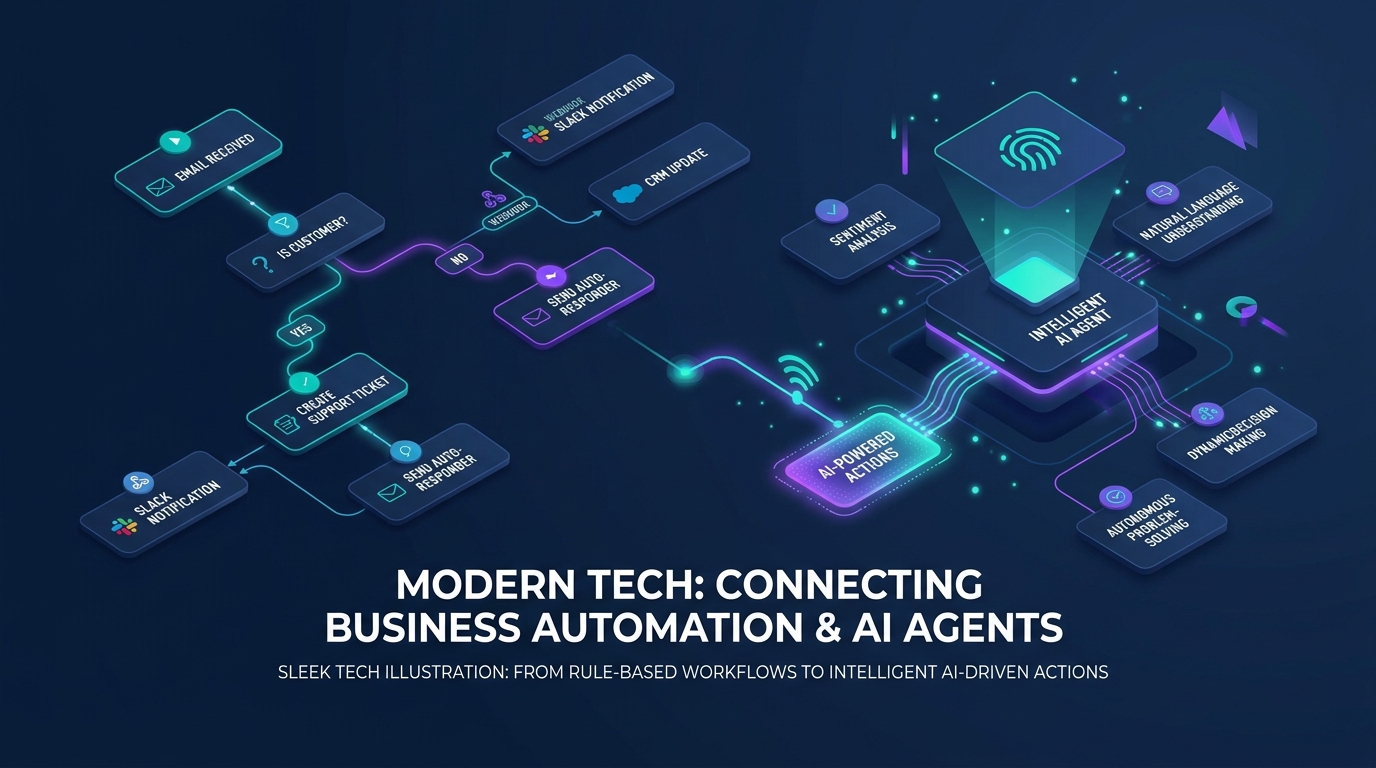
Automation & AI Workflow Map
Event triggers, multi-step scenario routing, and autonomous agent task execution
System Summary
The Problem
Most growing businesses do not lose sales because the product is wrong. They lose them between the enquiry and the yes. A form sits in an inbox. A WhatsApp message gets a reply two days late. A quote goes out and nobody follows up. Nobody knows who owns which lead, so everyone assumes someone else called.
The System
The Aheri Sales System gives every enquiry one home, one owner and one next step. Leads come into a single Bigin pipeline with 9 clear stages. Simple rules say when a deal can move on. Automations send the first reply, create follow-up tasks and flag deals that go quiet. A short dashboard shows where sales leak, so you fix the right thing first.
Before You Start
- → A Bigin account (the Free plan works for one person)
- → A list of every place enquiries arrive today: forms, phone, WhatsApp, email, referrals
- → One person who owns the setup and the weekly pipeline review
- → Your current numbers, even rough ones: enquiries last month and sales last month
The 9 pipeline stages
Every enquiry moves through the same 9 stages. Each stage marks a point the buyer has reached, like proposal sent, not a task like sent an email. You can rename the stages to fit how you sell, but keep the rule for moving on.
- 1
New Enquiry
Someone asked about what you sell, by form, call, WhatsApp, email or referral.
Move on when: Their contact details and where they came from are saved.
- 2
Contact Attempted
You tried to reach them but have not spoken yet.
Move on when: You spoke to them, or the next try is booked with a date.
- 3
Contacted
You had a real conversation.
Move on when: You know what they need and what happens next.
- 4
Qualified
They are a good fit and have a real need, budget and timeframe.
Move on when: Their needs, budget range and decision date are saved.
- 5
Sales Conversation
The call, meeting, viewing, demo or consultation where you show how you can help.
Move on when: You agreed on a solution and the next step.
- 6
Proposal / Offer
They have a written quote or proposal from you.
Move on when: A decision date and a follow-up date are agreed.
- 7
Decision
They are deciding, comparing or asking for changes.
Move on when: A clear yes or no, or a date to talk again.
- 8
Closed Won
They said yes.
Move on when: The sale is saved with its value and the handoff to your team has started.
- 9
Closed Lost
They said no, or went quiet after every follow-up.
Move on when: The reason is saved, and a date to check in again is set if it makes sense.
The pipeline rules
- ✓Every open deal has one owner and one next step with a date.
- ✓Arriving as an enquiry does not make someone qualified. They earn the Qualified stage.
- ✓A deal only enters Proposal / Offer when a real quote or proposal has been sent.
- ✓Your team agrees what counts as a sale before anyone moves a deal to Closed Won.
- ✓Every Closed Lost deal has a reason. Those reasons tell you what to fix.
- ✓Not ready yet is not a no. Give these people a check-in date or a nurture tag instead of closing them.
What to track
Track only what helps you sell. Start with these fields and add more when a real question needs one.
Who they are
So anyone on the team can call them back.
- Name
- Phone
- Best way to reach them
- Company
Where they came from
Keep the first source separate, so you know which channels bring real sales.
- Lead source
- Campaign
- Referred by
What they asked for
So the first call starts where they left off.
- Enquiry date
- Enquiry type
- Product or service
- Short summary
Are they a fit
So you spend time on people who can buy.
- Need
- Budget range
- Decision date
- Fit (yes / maybe / no)
Who owns it
One name per deal. Shared deals get dropped.
- Owner
- Date assigned
What happens next
The field that stops deals going quiet.
- Last contact
- Next action
- Next action date
The offer
So you follow up before the offer goes cold.
- Amount
- Proposal sent date
- Offer expiry
The result
Your sales numbers come from here.
- Won or lost
- Date closed
- Final value
- Loss reason
On Bigin Free you get 5 custom fields per pipeline. Use them for Lead source, Enquiry type, Next action date, Proposal sent date and Loss reason. Name, phone, email, owner, amount and closing date are already there.
Choose your version
Same system, different tools and budgets. Pick the one that fits your team, and the tools, steps and costs below change with it.
Free version: why this one
Costs nothing and teaches the full method. You run 3 automations and do the rest by hand with a next action date on every deal.
Best if you sell on your own. Every enquiry lands in one list, gets an instant reply, and has a clear next step until it ends in a yes or a no. Costs nothing.
Tools in this system
The exact tools this build runs on. Each one links to its full review, and where we are an affiliate the link supports our free guides.
How the system works
How the tools connect and hand off to each other, step by step. Follow them in order, and each one links to the tool that does the work.
Capture: every enquiry lands in one pipeline
Your Bigin web form creates a deal in New Enquiry. Calls, WhatsApp and walk-ins get added the same way, with their Lead source.
- › Embed the Bigin web form on your contact page
- › Add phone and WhatsApp enquiries by hand from the Bigin app
- › Fill in Lead source on every deal
Follow Up: an owner and a next step for every deal
The enquirer gets a reply, the owner gets an alert, and each deal moves through Contacted, Qualified and Sales Conversation with a next action date.
- › Automation A emails the enquirer and alerts you
- › Set a Next action date on every deal you touch
- › Sort the pipeline by Next action date every morning
Nurture: keep not-ready people warm
People who are not ready yet get a check-in date and a Nurture tag instead of a dead end.
- › Closed Lost deals get the Nurture tag (automation F)
- › Filter by the Nurture tag once a month and check in
Convert: proposal, decision and close
Proposals get a follow-up before they expire. Every deal ends as Closed Won with its value, or Closed Lost with a reason.
- › Fill in Proposal sent date when you send a quote
- › Close every deal as won or lost, with a Loss reason when lost
Measure: the Sales Health Dashboard
Six numbers each week show where sales leak, so you fix the biggest leak first.
- › Use the standard dashboard for deals by stage and time in each stage
- › Write down enquiries, sales and top loss reason every Friday
Before vs After
❌ Before
✅ After
New enquiries
Spread across inboxes, phones and WhatsApp chats
One pipeline, each with its source saved
Ownership
Everyone thinks someone else called back
One owner and one next step on every deal
Proposals
Sent, then forgotten until the client goes elsewhere
A follow-up date set the moment the proposal goes out
Lost deals
Nobody knows why sales were lost
Every lost deal has a reason you can count
How much time and money could this system save you?
This is a worked example, not a promise. Every business is different, so change the numbers below to match yours.
Copying enquiries from inbox and WhatsApp into a list
15 a week. By hand 4 min each, with this system it happens automatically.
1 hr back each week
Asking the team who followed up with whom
5 a week. By hand 10 min each, with this system 1 min each.
45 min back each week
Setting your own follow-up reminders
15 a week. By hand 2 min each, with this system it happens automatically.
30 min back each week
Putting together weekly sales numbers by hand
1 a week. By hand 60 min each, with this system 5 min each.
55 min back each week
| Task | How often | By hand | With this system | Time back each week |
|---|---|---|---|---|
| Copying enquiries from inbox and WhatsApp into a list | 15 a week | 4 min each | Automatic | 1 hr |
| Asking the team who followed up with whom | 5 a week | 10 min each | 1 min each | 45 min |
| Setting your own follow-up reminders | 15 a week | 2 min each | Automatic | 30 min |
| Putting together weekly sales numbers by hand | 1 a week | 60 min each | 5 min each | 55 min |
In this example: about 3 hours back each week.
Each week
-
Each month
-
Each year
-
How we worked this out: minutes per task are our estimate of doing the job by hand versus with this system, based on the official product documentation. They are not measured results. A month here is 52 weeks divided by 12.
The catch: be aware
Bigin Free is for 1 user, 500 records, 1 pipeline, 5 custom fields and 3 automations. Automations cannot create tasks, and there are no scheduled or date-based rules, so follow-ups depend on you checking your pipeline every day.
Cost breakdown
Total monthly
Free
Every tool this system runs on and what it actually costs, added up to one real monthly total.
Tool / Service
Plan
Cost
Bigin
1 user, 500 records, 3 automations
Free
$0/mo
TOTAL
Free for one person
Free
$0/mo
Total
Free
Budget version: why this one
The first plan where automations create tasks and the whole team shares one pipeline, for $7 per user a month billed yearly.
Best for a small sales team. Everyone works from one shared list, and each new enquiry gets an owner and a call task the moment it arrives.
Tools in this system
The exact tools this build runs on. Each one links to its full review, and where we are an affiliate the link supports our free guides.
How the system works
How the tools connect and hand off to each other, step by step. Follow them in order, and each one links to the tool that does the work.
Capture: every enquiry lands in one pipeline
Your Bigin web form creates a deal in New Enquiry. Calls, WhatsApp and walk-ins get added the same way, with their Lead source.
- › Bigin web form on your site creates deals in New Enquiry
- › WhatsApp is available on Express to bring chats into Bigin
- › Lead source is filled on every deal
Follow Up: an owner and a next step for every deal
The enquirer gets a reply, the owner gets an alert, and each deal moves through Contacted, Qualified and Sales Conversation with a next action date.
- › Automation A replies, assigns an owner and creates a call task
- › Stage automation C creates the next task in each stage
- › Check the New Enquiry column twice a day for slow replies
Nurture: keep not-ready people warm
People who are not ready yet get a check-in date and a Nurture tag instead of a dead end.
- › Closed Lost deals get the Nurture tag
- › Optional: Zoho Campaigns (free for paid Bigin users) for a monthly email to the Nurture list
Convert: proposal, decision and close
Proposals get a follow-up before they expire. Every deal ends as Closed Won with its value, or Closed Lost with a reason.
- › Automation D sets up a follow-up task when a deal enters Proposal / Offer
- › Automation F creates the handoff task and the invoice or payment link on Closed Won
Measure: the Sales Health Dashboard
Six numbers each week show where sales leak, so you fix the biggest leak first.
- › Custom dashboard with the 6 tiles
- › Weekly 15-minute pipeline review with the team
Before vs After
❌ Before
✅ After
New enquiries
Spread across inboxes, phones and WhatsApp chats
One pipeline, each with its source saved
Ownership
Everyone thinks someone else called back
One owner and one next step on every deal
Proposals
Sent, then forgotten until the client goes elsewhere
A follow-up date set the moment the proposal goes out
Lost deals
Nobody knows why sales were lost
Every lost deal has a reason you can count
The catch: be aware
Express has no scheduled or date-based rules, no Stage Transition Rules and no duplicate cleanup. Response-time checks and stalled deal reviews stay by hand.
Cost breakdown
Total monthly
$7/mo
Every tool this system runs on and what it actually costs, added up to one real monthly total.
Tool / Service
Plan
Cost
Bigin
Billed yearly. Unlimited users, 30 automations
Express
$7/user/mo
Zoho Invoice
Up to 2 users and 500 invoices a year
Free
$0/mo
TOTAL
A team of 3 pays $21 a month, billed yearly
Per user
$7/user/mo
Total
$7/mo
Growth version: why this one
Premier runs every automation in the library, including timed reminders, stalled deal flags and stage rules your team cannot skip.
Best for a growing team. Reminders go out on time, deals that go quiet get flagged, and no deal can skip a step like the proposal or the loss reason.
Tools in this system
The exact tools this build runs on. Each one links to its full review, and where we are an affiliate the link supports our free guides.
How the system works
How the tools connect and hand off to each other, step by step. Follow them in order, and each one links to the tool that does the work.
Capture: every enquiry lands in one pipeline
Your Bigin web form creates a deal in New Enquiry. Calls, WhatsApp and walk-ins get added the same way, with their Lead source.
- › Bigin web form and WhatsApp bring enquiries into New Enquiry
- › Run duplicate cleanup weekly so one person is one contact
Follow Up: an owner and a next step for every deal
The enquirer gets a reply, the owner gets an alert, and each deal moves through Contacted, Qualified and Sales Conversation with a next action date.
- › Automation A replies, assigns and creates a call task
- › Automation B reminds the owner and manager if first contact is late
- › Automation C creates tasks and reminds owners when the next action date arrives
Nurture: keep not-ready people warm
People who are not ready yet get a check-in date and a Nurture tag instead of a dead end.
- › Automation E tags deals Stalled when the next action date passes
- › Closed Lost deals get the Nurture tag and a check-in date
Convert: proposal, decision and close
Proposals get a follow-up before they expire. Every deal ends as Closed Won with its value, or Closed Lost with a reason.
- › Stage Transition Rules require amount and date sent before Proposal / Offer
- › A loss reason is required before Closed Lost
- › Automation F starts the invoice or payment link on Closed Won
Measure: the Sales Health Dashboard
Six numbers each week show where sales leak, so you fix the biggest leak first.
- › Dashboard with the 6 tiles and a target meter
- › Weekly pipeline review using the Stalled tag
Before vs After
❌ Before
✅ After
New enquiries
Spread across inboxes, phones and WhatsApp chats
One pipeline, each with its source saved
Ownership
Everyone thinks someone else called back
One owner and one next step on every deal
Proposals
Sent, then forgotten until the client goes elsewhere
A follow-up date set the moment the proposal goes out
Lost deals
Nobody knows why sales were lost
Every lost deal has a reason you can count
The catch: be aware
Costs $12 per user a month billed yearly. It still cannot stop a follow-up when someone replies or email a report on a schedule, so the weekly review stays a team habit.
Cost breakdown
Total monthly
$12/mo
Every tool this system runs on and what it actually costs, added up to one real monthly total.
Tool / Service
Plan
Cost
Bigin
Billed yearly. 50 automations, scheduled rules
Premier
$12/user/mo
Zoho Invoice
Up to 2 users and 500 invoices a year
Free
$0/mo
TOTAL
A team of 3 pays $36 a month, billed yearly
Per user
$12/user/mo
Total
$12/mo
AI Agent version: why this one
AI takes the predictable work: first replies, summaries, drafts and the weekly pipeline check. People keep the conversations and the decisions.
Best if you want AI to help. It answers first emails, drafts follow-ups and sums up each deal before a call. Your team still checks the drafts and makes the calls.
Tools in this system
The exact tools this build runs on. Each one links to its full review, and where we are an affiliate the link supports our free guides.
How the system works
How the tools connect and hand off to each other, step by step. Follow them in order, and each one links to the tool that does the work.
Capture: every enquiry lands in one pipeline
Your Bigin web form creates a deal in New Enquiry. Calls, WhatsApp and walk-ins get added the same way, with their Lead source.
- › Same capture as the Growth version
- › Reply Assistant answers enquiries that arrive at your Email-In address
Follow Up: an owner and a next step for every deal
The enquirer gets a reply, the owner gets an alert, and each deal moves through Contacted, Qualified and Sales Conversation with a next action date.
- › Smart Summaries brief the owner before each call
- › AI drafts the follow-up email, the owner checks and sends it
Nurture: keep not-ready people warm
People who are not ready yet get a check-in date and a Nurture tag instead of a dead end.
- › Ask Claude through MCP for stalled deals and suggested next steps
- › AI drafts the check-in email for each Nurture contact
Convert: proposal, decision and close
Proposals get a follow-up before they expire. Every deal ends as Closed Won with its value, or Closed Lost with a reason.
- › Smart Summaries recap the deal before the proposal call
- › Churn Analyzer looks for patterns in lost deals
Measure: the Sales Health Dashboard
Six numbers each week show where sales leak, so you fix the biggest leak first.
- › Dashboard with the 6 tiles
- › Ask Claude through MCP for the weekly numbers in plain words
Before vs After
❌ Before
✅ After
New enquiries
Spread across inboxes, phones and WhatsApp chats
One pipeline, each with its source saved
Ownership
Everyone thinks someone else called back
One owner and one next step on every deal
Proposals
Sent, then forgotten until the client goes elsewhere
A follow-up date set the moment the proposal goes out
Lost deals
Nobody knows why sales were lost
Every lost deal has a reason you can count
The catch: be aware
Zia Agents need Bigin Premier or Bigin 360 and are only in Zoho's US, India and Australia data centres. Premier includes 1,000 AI credits a month. Claude is a separate subscription, and AI drafts still need a person to check them before they go out.
Cost breakdown
Total monthly
$12/mo
Every tool this system runs on and what it actually costs, added up to one real monthly total.
Tool / Service
Plan
Cost
Bigin
Billed yearly. Includes 1,000 AI credits a month
Premier
$12/user/mo
Zoho MCP
Uses the Bigin access you already pay for
Free
$0/mo
Claude
Only for the MCP pipeline review
Optional
Its own plans
TOTAL
Plus Claude if you use it
Per user
$12/user/mo
Total
$12/mo
The automation library
Six automations run the system. Use the ones your plan can run and your team needs. Each card shows what runs on each version, and what you do by hand where a plan cannot do it. Test every one with a sample enquiry before you rely on it.
New enquiry
When: A new deal is created in the New Enquiry stage (for example from your Bigin web form).
- ›Sends the enquirer a short reply that says who will contact them
- ›Alerts the owner by email
- ›Assigns an owner and creates a call task (Budget and Growth)
Test it: Fill in your own web form. Check that the reply, the alert and the task all arrive.
Response-time check
When: A set number of hours after a new enquiry arrives.
- ›Reminds the owner to make first contact
- ›Copies the manager so slow replies are seen
Test it: Create a test enquiry and leave it. Check the reminder arrives when you set it to.
Follow-up
When: A deal enters Contacted, Qualified or Sales Conversation.
- ›Creates the next task for the owner
- ›Fills in the next action date
Test it: Move a test deal into each stage. Check a task appears with the right owner.
Proposal follow-up
When: A deal enters Proposal / Offer.
- ›Saves the date the proposal was sent
- ›Creates a task to follow up before the offer expires
Test it: Move a test deal to Proposal / Offer. Check the task and the saved date.
Stalled deal recovery
When: A deal's next action date has passed.
- ›Tags the deal Stalled
- ›Asks the owner to pick a next step, or close it with a reason
Test it: Give a test deal a next action date of yesterday. Check it gets tagged.
Close and handoff
When: A deal enters Closed Won or Closed Lost.
- ›Won: tells the team and starts the handoff (invoice, booking or kickoff task)
- ›Lost: saves the reason and tags the contact Nurture
Test it: Close one test deal as won and one as lost. Check the alert, the task and the tag.
What Bigin does not do on its own: stop a follow-up when someone replies, send a report by email on a schedule, or share new enquiries in turn across a team. Where this system needs those, a person does them and the page says so.
Optional tools: keep what you already use
Bigin runs the whole system. Add another tool only when it fills a real gap, or when your team already uses it and does not want to switch. Every tool here is optional.
Booking calls and meetings
So a qualified lead can pick a time without back-and-forth.
Enquiry forms
Bigin web forms cover most teams. Use another form tool if you need logic or file uploads.
Signing proposals
So a yes is in writing before work starts.
Emails to people not ready yet
For the Nurture part: a regular, useful email to your Nurture list.
Invoices and payments after a sale
For the handoff in automation F.
Connecting other apps
Only when two tools must share data and no direct link exists.
The Sales Health Dashboard
Six numbers tell you if the system works. Write down where you start before you change anything, so you can see real progress later.
Enquiries
How many came in, and from which channel.
Response
How fast each enquiry got a first real reply.
Pipeline
Open deals in each stage, and their value.
Conversion
How many qualified deals became sales.
Follow-up
Overdue tasks and deals with no next step.
Outcomes
Won value, lost deals and the reasons.
Enquiries by channel
Count new deals by Lead source each week.
Time to first reply
Time between the enquiry and the first real conversation. Look at the typical case, not the best one.
Replied on time
Share of enquiries contacted within the time your team agreed.
Enquiry to qualified
Qualified deals divided by enquiries from the same month.
Qualified to sale
Closed Won deals divided by qualified deals from the same month.
Deals with no next step
Open deals with an empty or past Next action date. Aim for zero.
Proposals accepted
Closed Won divided by deals that reached Proposal / Offer.
Lost by reason
Count Closed Lost deals by Loss reason. The top reason is your next fix.
Standard dashboards are on every Bigin plan. Express and higher let you build your own charts and KPIs.
Implementation Support
Need help getting this system running?
This system is built to be set up without a consultant, and every step is on this page. If you want a hand, we can help you put it in place and walk your team through it.
Get this system as a PDF
A portable one-pager version of everything on this page: the tools, the steps, the costs. Downloads immediately, no waiting on an email.
Common Mistakes
Naming stages after jobs, like "Sent email", so the pipeline shows busy work instead of progress.
Name each stage after a point the buyer has reached, like "Proposal sent". Then one look tells you how close each deal is to a yes.
Leaving deals with no next action date. Nobody chases them, and they go quiet without anyone noticing.
Make a next action date part of every update. Each morning, sort the pipeline by that date and work from the top.
Moving every enquiry straight to Qualified before anyone has spoken to them.
A deal only reaches Qualified after a real conversation that confirms the need, the budget range and when they will decide.
Closing lost deals with no reason, so the same leak repeats every month.
Pick from a short list of loss reasons, like price, timing or went with someone else. Check the top reason once a month and fix that first.
Adding 30 fields on day one. The team stops filling them in, and the data goes stale.
Start with the fields in What to track. Add a new field only when a real question needs it.
Telling the team an automation works before testing it.
Send one test enquiry through your own form and walk it through every stage. Check each reply, task and tag before you go live.
Frequently asked questions
Related systems
References
- Bigin pricing and editions . Zoho
- Workflow rules in Bigin . Zoho
- FAQs about Bigin . Zoho
- Stage Transition Rules . Zoho
- Duplicate management in Bigin . Zoho
- Zoho Invoice pricing . Zoho
- Bigin integrations . Zoho
- Zoho MCP pricing . Zoho
Add us to your preferred sources to see our latest business systems, tool reviews, and RevOps guides first in your Google feed.
Build once. Run repeatedly.
The system is here. Put it to work.
Every step is published and the tools are free to try. Build it yourself, or get implementation support if you want a hand.